Bank alert settings
Make your banking app send a push notification for every transaction, however small, so Monivera can log it.
Monivera can only log the notifications your bank actually sends. Most banking apps don’t send one for every transaction out of the box: small amounts are skipped, or push alerts are off for some transaction types. Check these three things in each banking app you use:
- Push notifications are on for every kind of transaction: card payments, transfers, PayNow, and so on.
- The minimum amount is
0or0.01, so even the smallest purchase sends an alert. - Your iPhone allows notifications from the banking app.
The example below is DBS digibank. Other banks name things differently, but you’ll find the same settings in their app.
Example: DBS digibank
1. Open Manage Notifications
Tap More at the bottom right, then Manage Notifications under App & Security Settings.
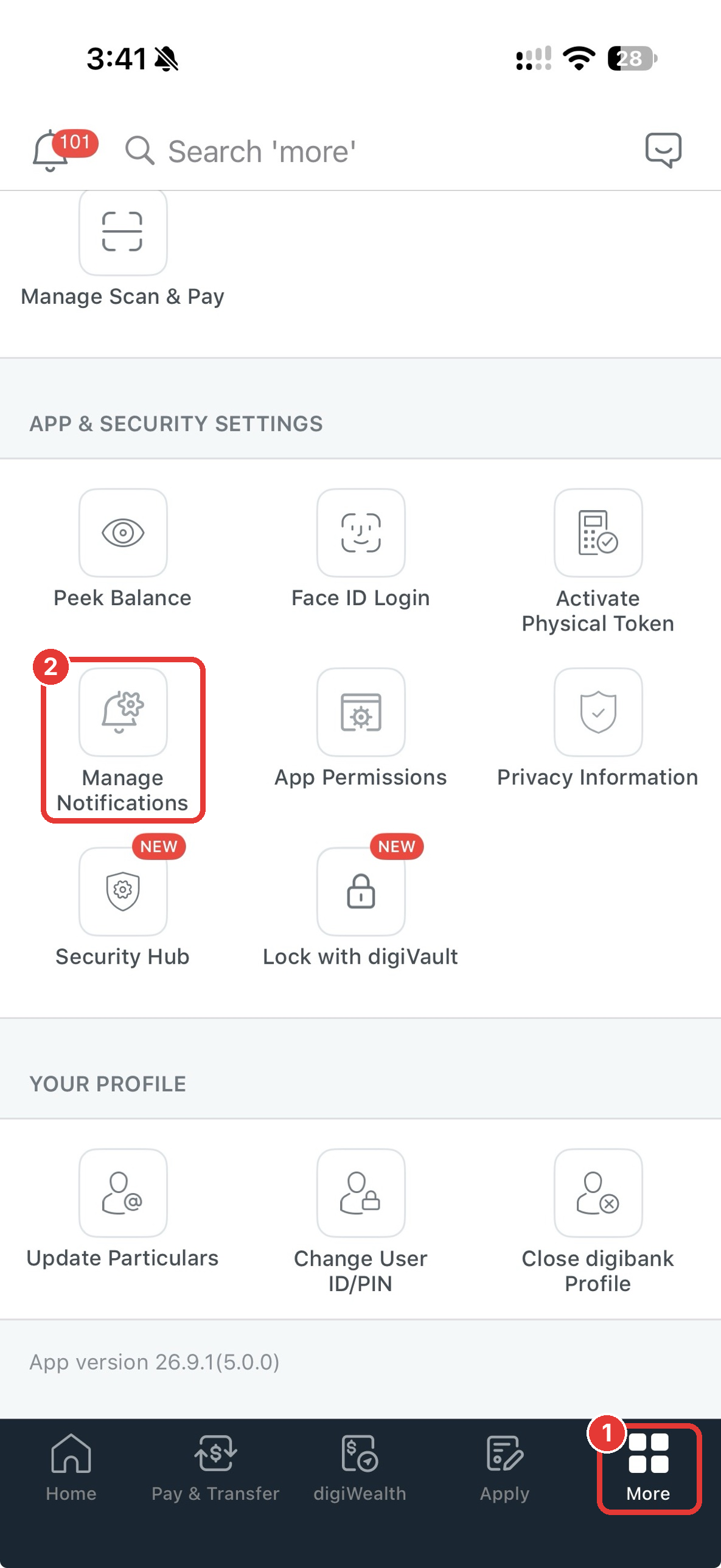
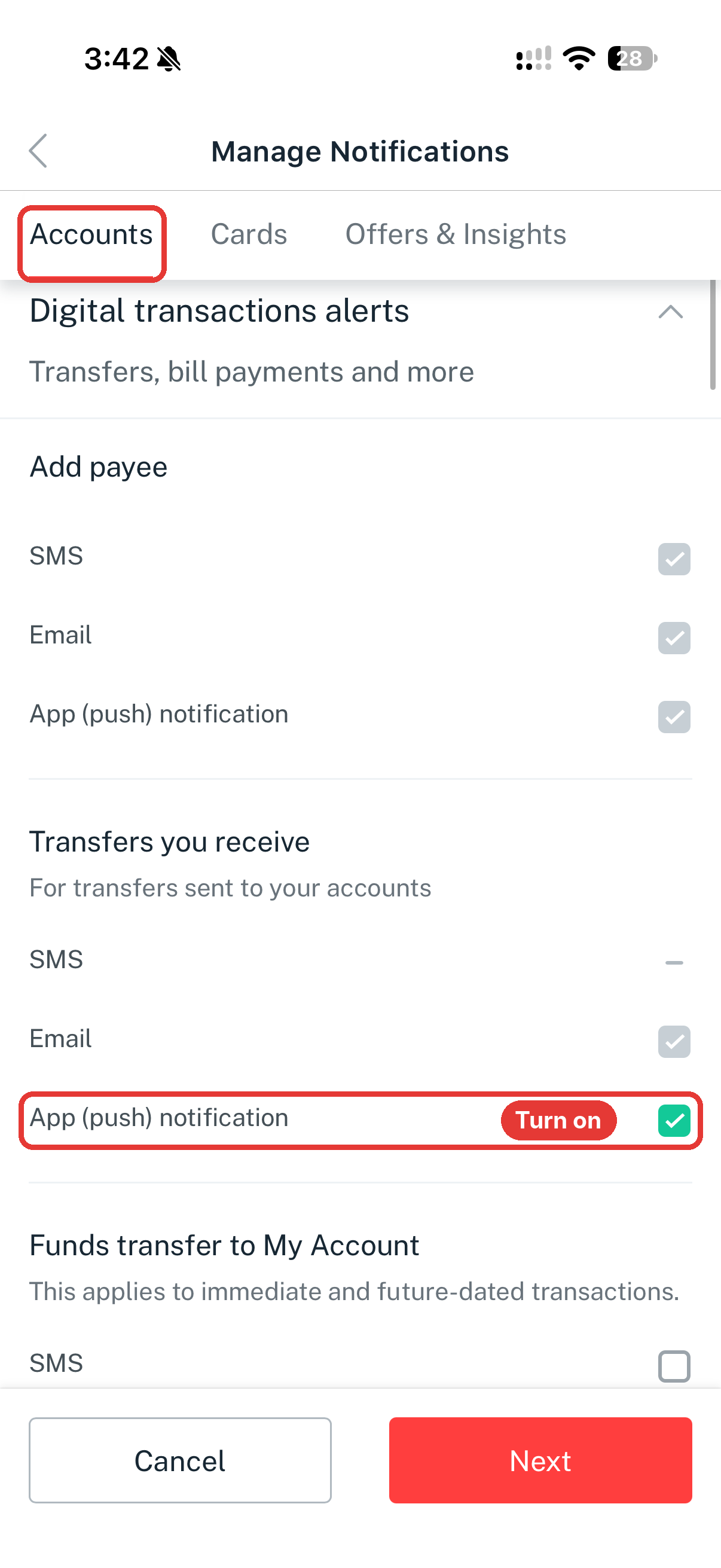
2. Accounts tab: turn on push and lower the minimum
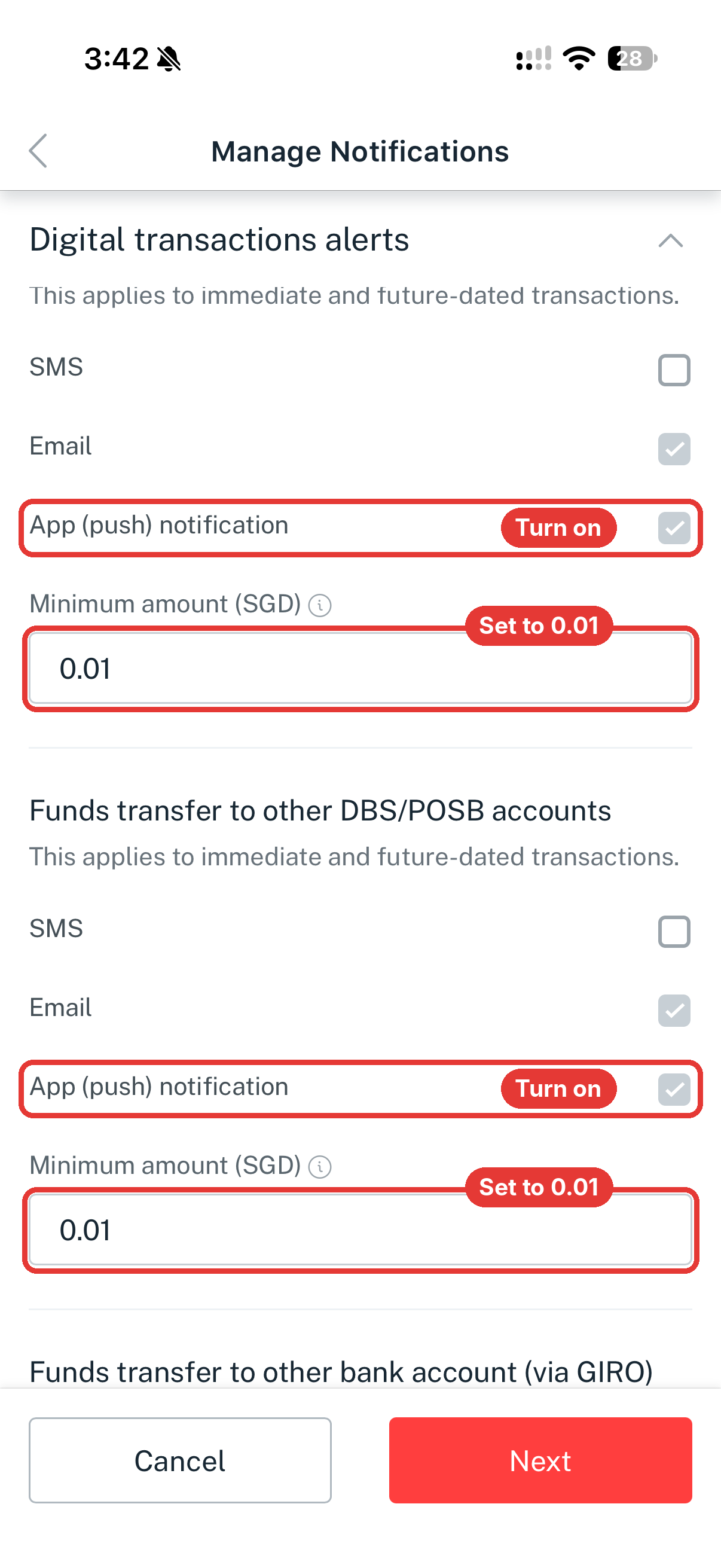
On the Accounts tab, scroll through every section under Digital transactions alerts:
- Tick App (push) notification.
- Wherever there’s a Minimum amount field, set it to 0.01.
Don’t stop at the sections pictured. The screenshots only show a few of them. Keep scrolling to the bottom of the tab and set every Minimum amount to 0.01, including PayNow, GIRO, bill payments and top-ups.
3. Cards tab: same again
Switch to the Cards tab and do the same for Local card transactions and Overseas card transactions: tick App (push) notification and set Minimum amount to 0.01. Scroll to the bottom here too: any other Minimum amount field on this tab also gets 0.01.
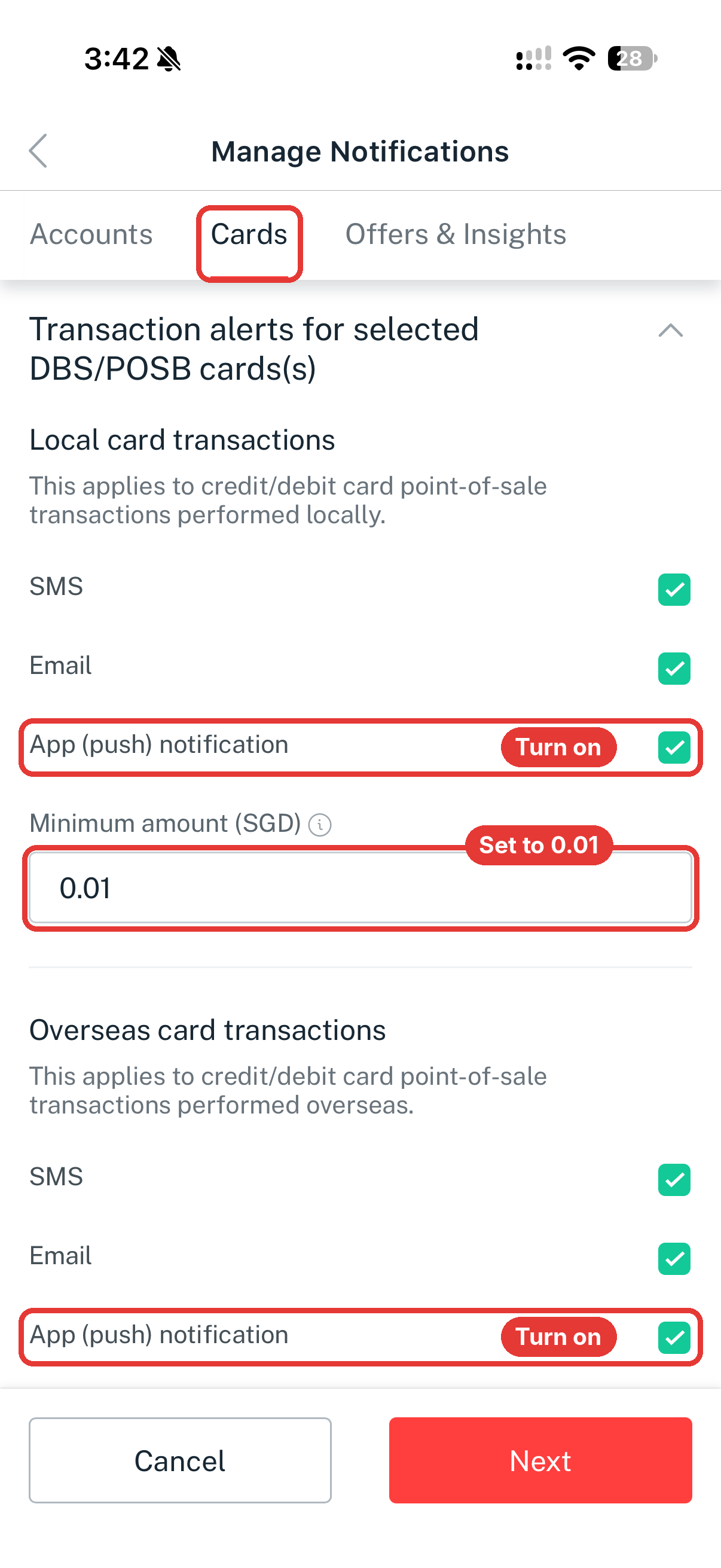
Tap Next to save, and confirm if the app asks.
Allow the app’s notifications on your iPhone
Your bank’s settings don’t matter if iOS is muting the app. Open the iPhone Settings app, go to Notifications, tap your banking app, and make sure Allow Notifications is on.
Check it works
Make a small purchase or transfer. You should get a push notification from your bank, and the transaction should appear in your Monivera ledger a moment later. If the notification arrives but nothing is logged, see Bank notification integration.