Settings
Set up your budget, shape your categories, and make Monivera fit how you actually spend.
Budget settings
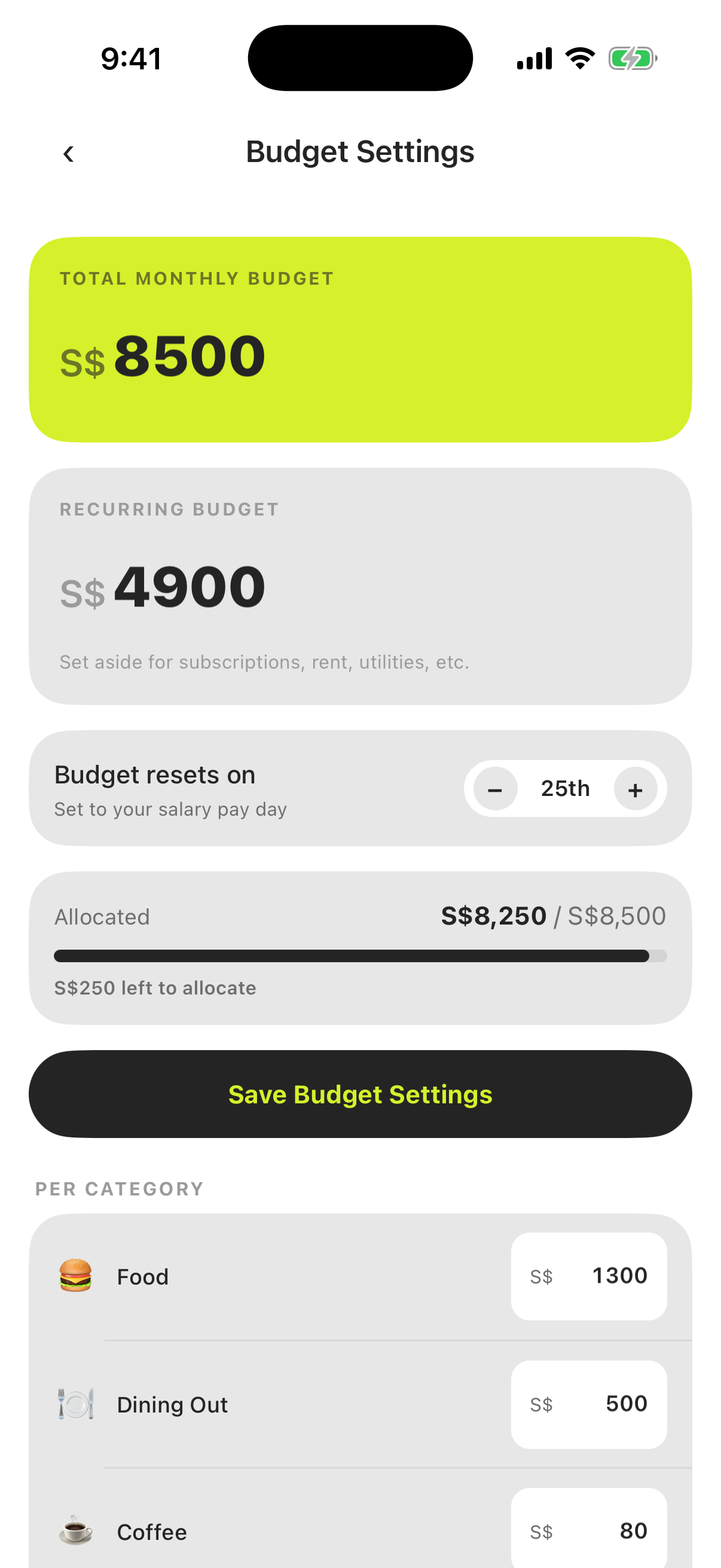
Settings → Budget Settings is where your budget takes shape.
- Total budget — the monthly amount for everyday, variable spending.
- Recurring budget — a separate envelope for fixed bills (rent, subscriptions, utilities), set aside before the month begins so bills never eat your everyday money.
- Per-category allocation — optionally split your budget across categories. Each category then gets its own progress bar in the budget view.
- Budget resets on — the day of the month your budget cycle starts. In a shared household this start day applies to every member, so the whole household is always looking at the same period.
Categories
Settings → Categories — add, rename, and reorder your spending categories. These are your categories: the AI categorizer only ever suggests from this list, so shaping it well pays off everywhere in the app.
A good starter set is broad (“Food”, “Transport”, “Fun”) — you can always split a category later when one bar keeps maxing out and you want to know why.
AI Rules
Settings → AI Rules — teach the AI categorizer your own habits in plain language. Write one rule per line, for example “Always categorize NTUC FairPrice as Groceries” or “‘AMZN Mktp’ means Amazon, categorize as Shopping”, and every new AI-logged transaction (including ones logged automatically from bank notifications or email and SMS alerts) follows them.
Use your exact category names from Settings → Categories: a rule pointing at a category that doesn’t exist is quietly skipped. Rules steer categorization and merchant naming, and can do two more things Monivera never decides on its own:
- Mark recurring: “Netflix is a recurring subscription”.
- Mark as a transfer: “Transfers to account ending 1234 are transfers” or “Anything mentioning ‘Savings top-up’ is a transfer”. A transfer is logged without a category and doesn’t count toward your budget. Without a rule, money going out is always an expense and money coming in is always income. Transfer rules apply to text and notifications, not photos.
Rules can’t change amounts, dates, or anything else about how transactions are read. Saved rules apply to new transactions, not ones already logged.
Personal info
Settings → Personal Info — edit your name and password.
This screen is also where you can permanently delete your account (Delete Account). Deletion is immediate and cannot be undone: your profile, budgets, and every transaction in the household you own are removed — including transactions other members logged while sharing it. Those members keep their accounts and are moved back to their own personal budgets.
Language
Settings → Language switches Monivera between English and Spanish. The default, Use device language, follows your phone’s language list and falls back to English, so the app switches when you change your phone’s language. Notifications Monivera sends you, and the Shortcut’s replies when it logs a transaction, arrive in the same language.
Amounts and dates follow your phone’s region, not the app language, so decimal separators and date order stay the way you’re used to whichever language you pick.
The first time a household’s owner opens Monivera in Spanish, the household’s default category names and “My Household” are translated once. Anything you’ve already renamed is left alone, and switching back to English doesn’t rename them again.
Lock with Face ID
Settings → Require Face ID locks the app behind Face ID or Touch ID, with your device passcode as a fallback. Once enabled, Monivera asks you to unlock when you open it and when you return to it after a short time away. You stay signed in the whole time, so unlocking never re-enters your password. The toggle shows as Unavailable if your device has no biometrics or passcode set up.
Household sharing
Share one budget with your partner or household members:
- Open Settings and choose the household/invite option.
- Enter the member’s email — they receive an invite they can accept or decline.
- Once accepted, they join your household: same budget, same ledger, same categories, synced live on every device.
You can cancel a pending invite or remove a member at any time, and members can leave on their own.
Limitations to know:
- One household at a time. Each person belongs to exactly one active household — accepting an invite moves them out of their personal one. Leaving (or being removed) reverts them to their own personal household, with their data intact.
- Up to 10 members per household.
- The household’s budget start day applies to every member, so everyone is always looking at the same period.
Leave feedback
Settings → Leave Feedback / Request a Feature opens your email app with a message to our team already started, so you can report a bug or ask for a feature in a couple of taps. If no email app is set up, we show you the address (support@monivera.app) to reach us directly.
Make it yours
Everything above composes: pay-day start + recurring envelope + per-category allocations is a very different setup from a simple monthly total — and both are two minutes of settings. Start simple, then tune the pieces as you learn how you actually spend. The Tips & tricks page collects the setups we see work best.